
How it Works · Payment Process
Get paid for the whole job, including the parts that changed.
Make payment the next clear step. A payment request while money is owed, then a payment summary (receipt) once it’s paid. The money goes straight to you.
Deposits
Trust runs both ways. Put the deposit in writing.
Asking for money up front is easier when it’s on the page.
In the offer they agree to.
The deposit is part of the offer, so the customer sees what it starts before they say yes.
Deposit received.
Record it when it lands. The agreement shows the deposit as received, with the date.
Partial payment.
Record part of what’s owed, and the next payment request asks only for what is left.
The payment request
Get paid, straight to you.
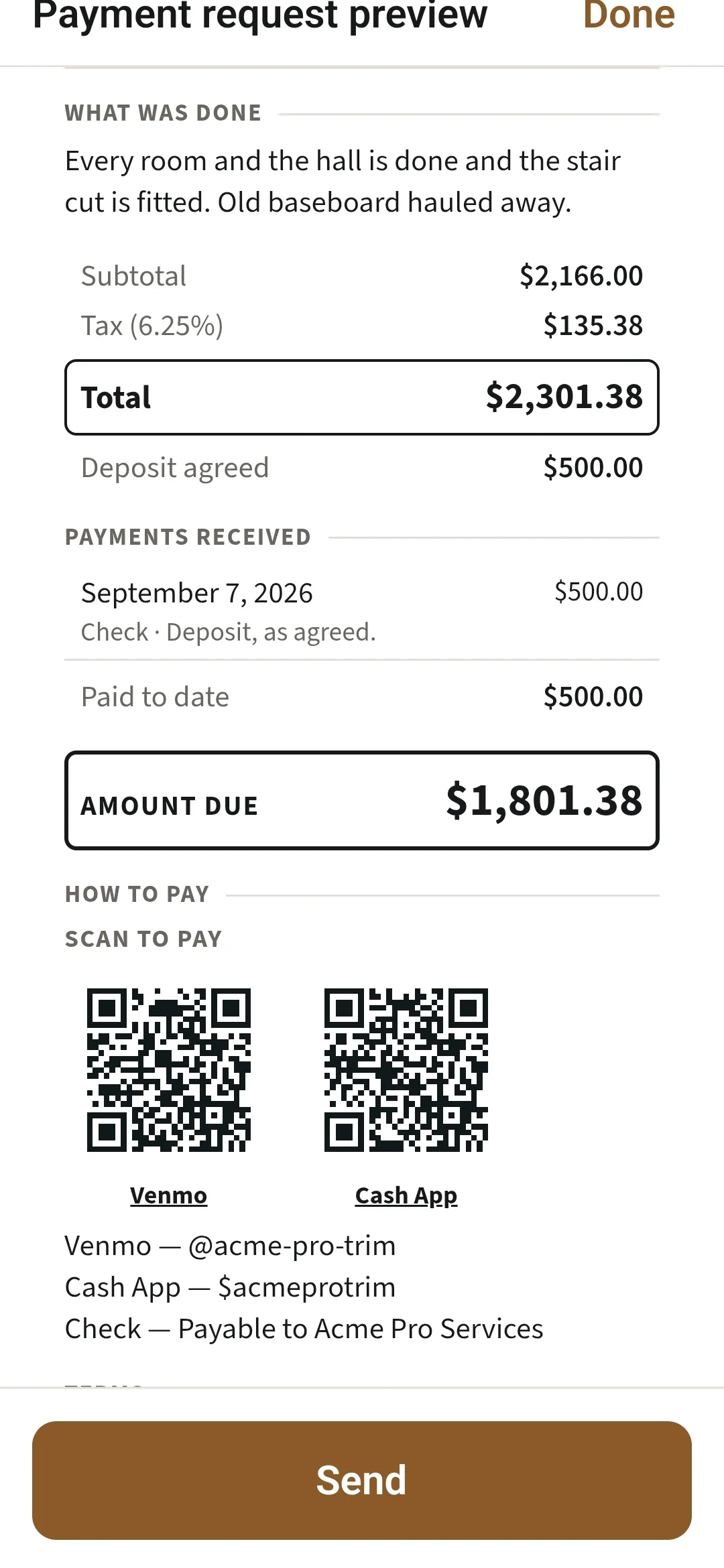
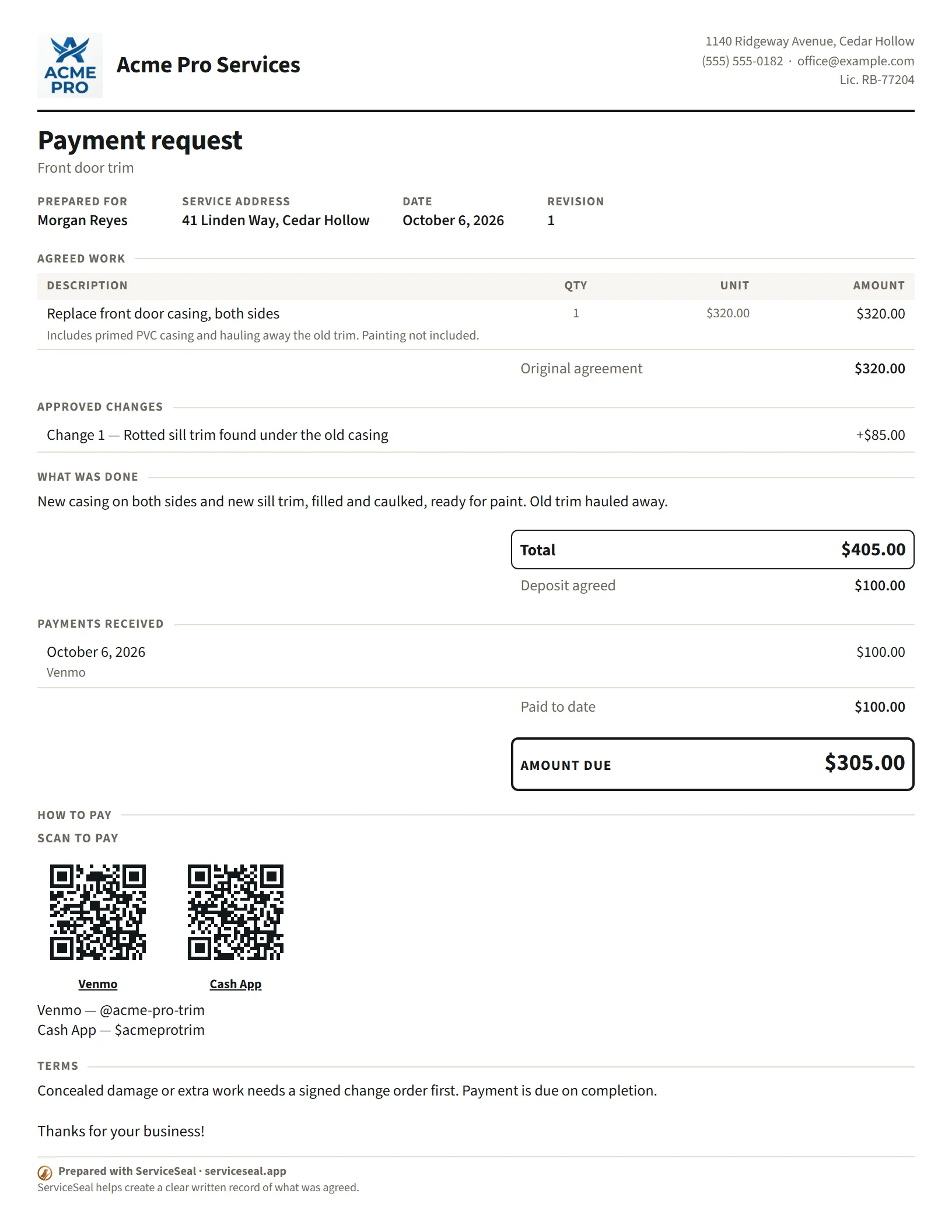
A payment request shows what was done, every payment so far and the amount due, with the ways to pay you.
Venmo, Cash App and PayPal.
Each gets a QR code that opens with the amount owed filled in.
Other payment links too.
Any other payment link gets a code. Zelle, cash and check appear as written instructions.
Set it up once.
Add your links in Business profile, and every payment request carries them.
The payment summary
Finish the job knowing what was agreed and what’s owed.
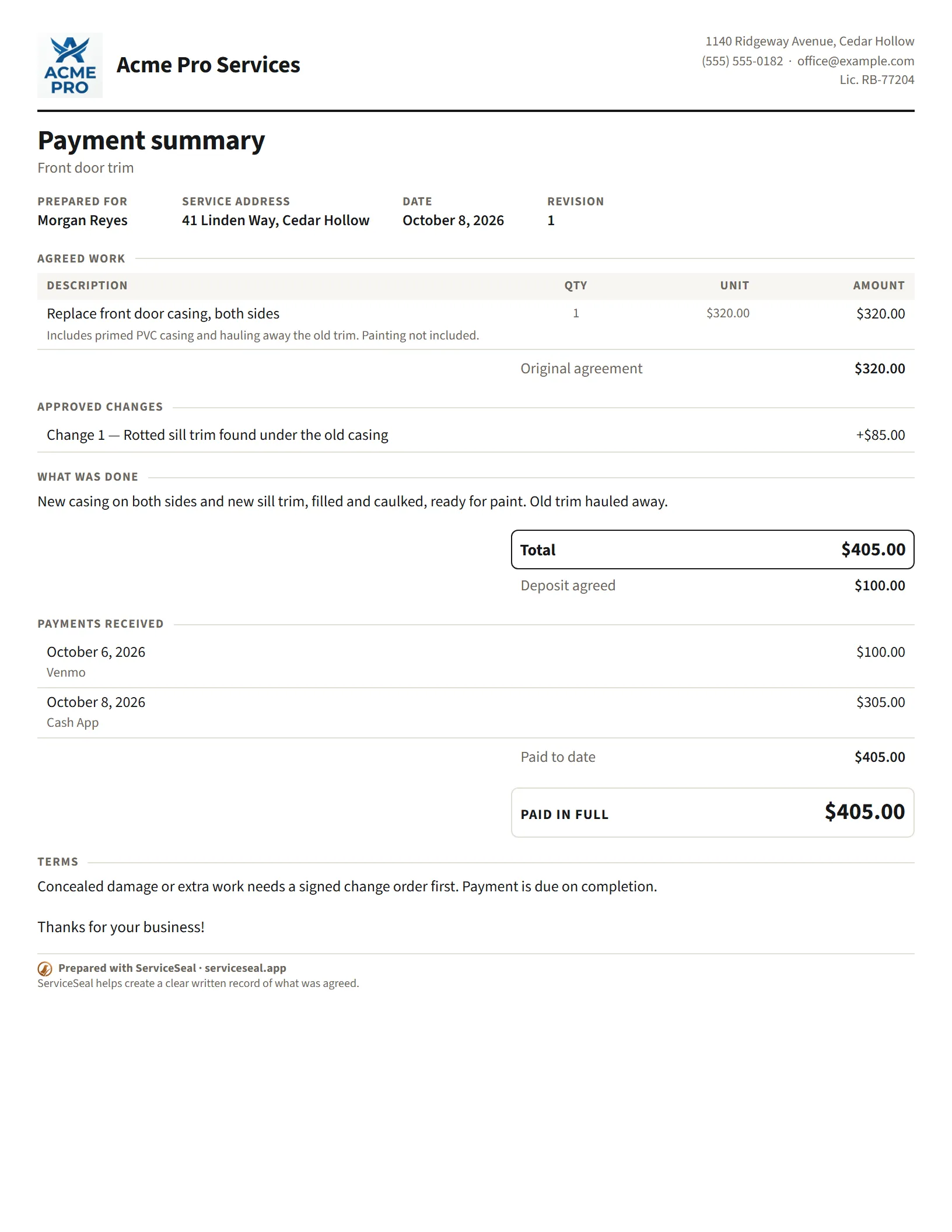
Once it’s paid, the payment summary (receipt) lists every payment and closes the job, with your name on it. Close with the same professionalism you started with.
Make the money talk the easy part.
21 days, no card needed.

Coming soon to the App Store.