
For independent service pros
Agree the work. Approve changes. Get paid.
ServiceSeal helps independent service pros turn phone calls, texts, and handshakes into professional written agreements. Show the work and price clearly, approve changes while they are current, and finish every job with a process customers can trust, remember, and recommend.
21 days, no card needed.

Coming soon to the App Store.
The change
Turn “while you’re here” into approved, priced work.
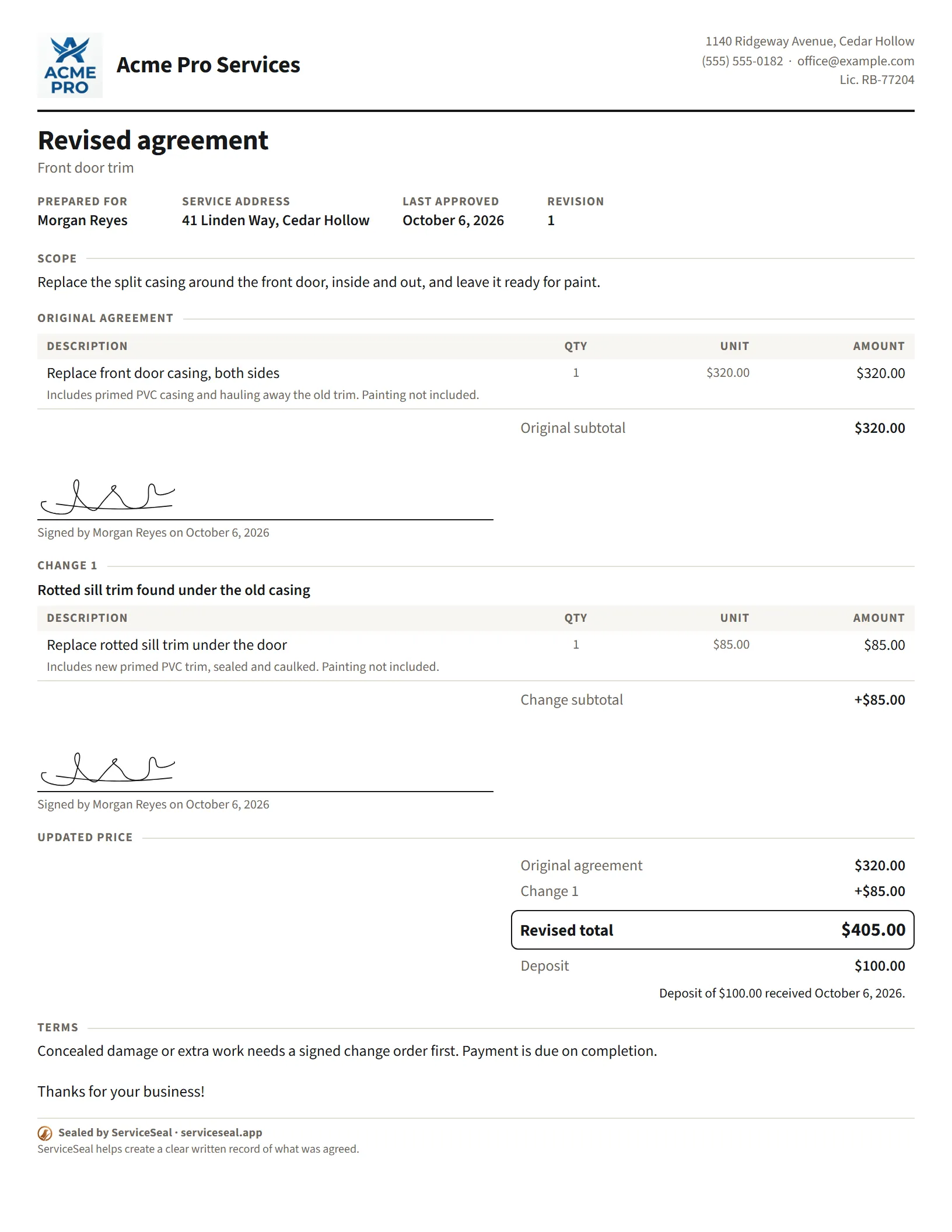
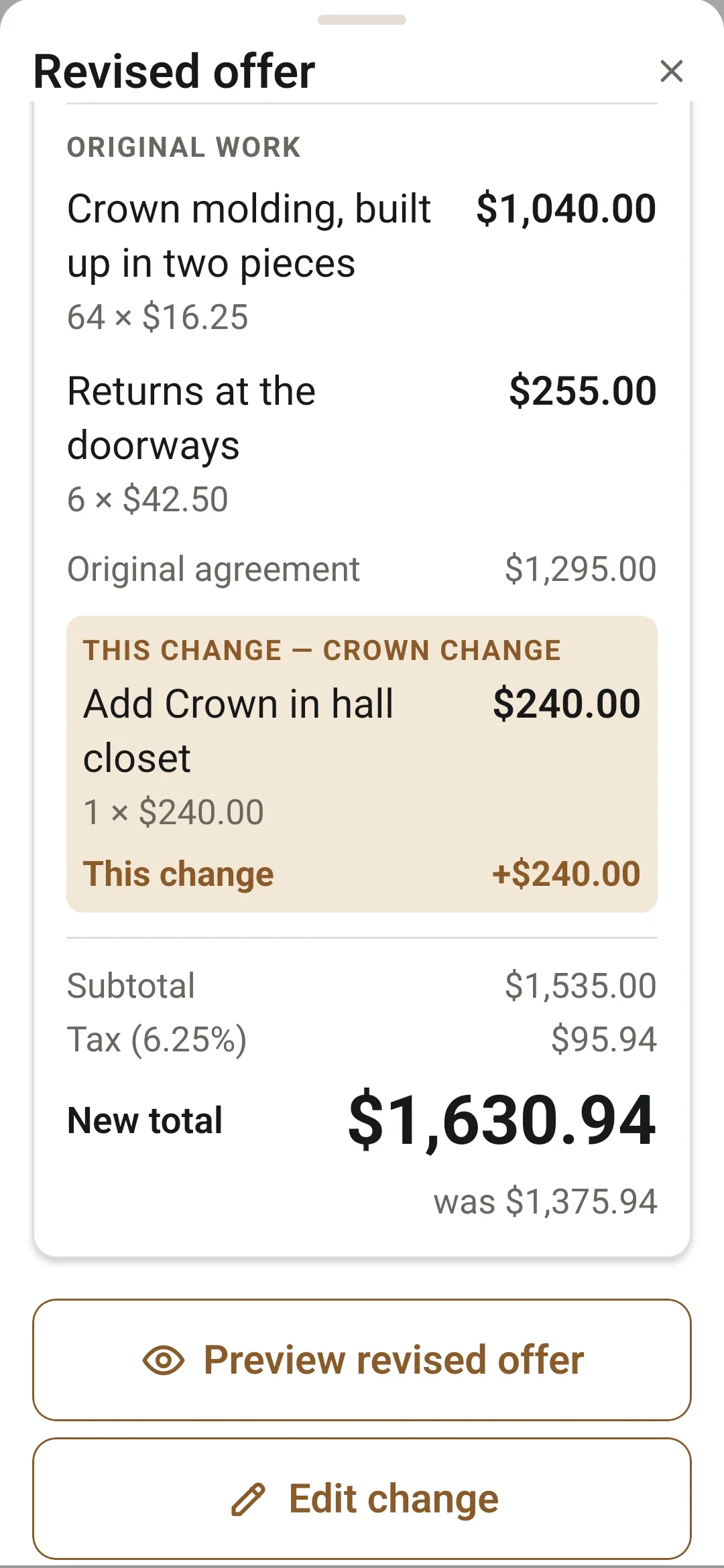
You know when a customer says, “while you’re here, could you also…” and it turns into a favor? With ServiceSeal you put the change and the price on your phone right there. They see the whole updated job, they say yes, and it goes in the record.
The original stays. Every change is added to the record.
How changes work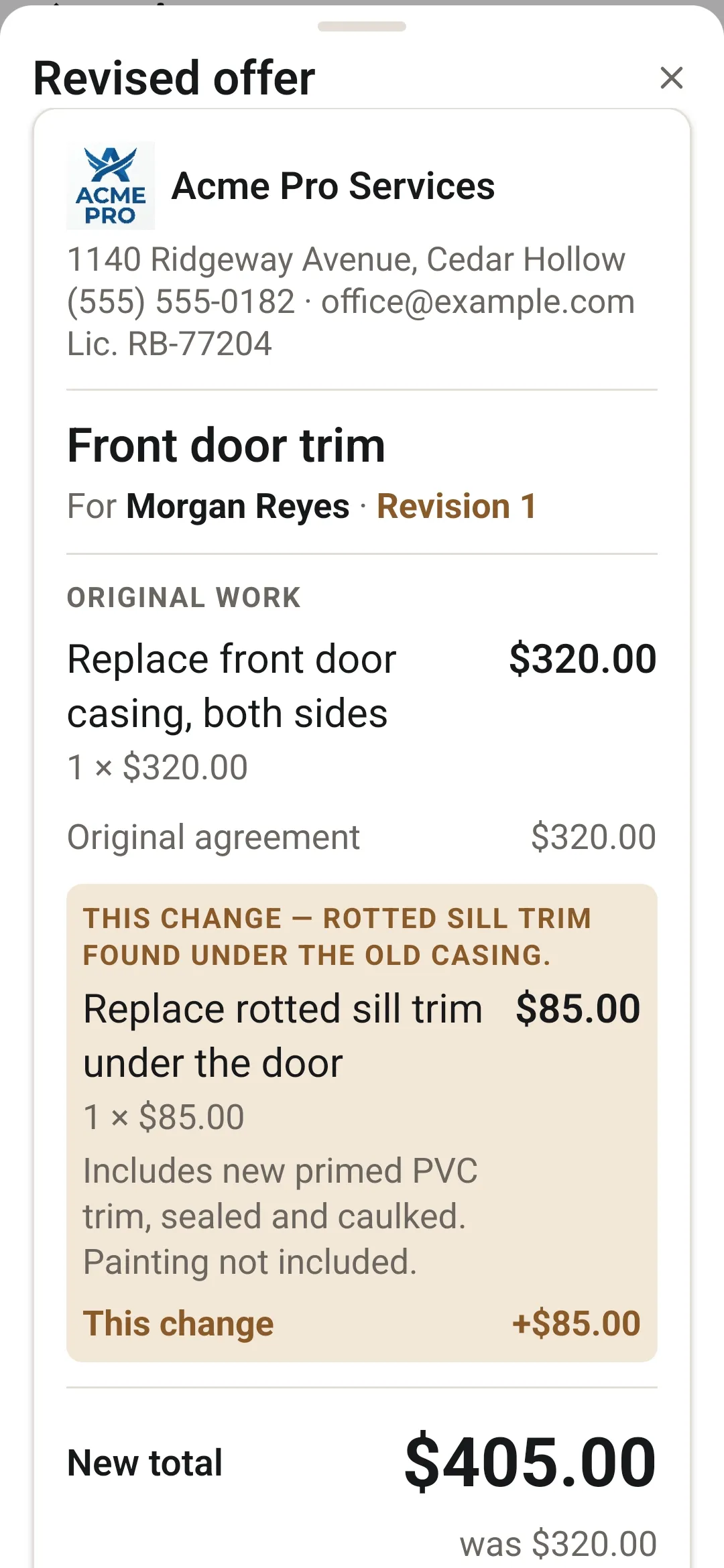
One job, start to finish
Clear job agreements, customer-approved changes, and professional closeout documents, from your phone.
- 1
Agree the work
Turn the phone call, text, or handshake into one clear offer.
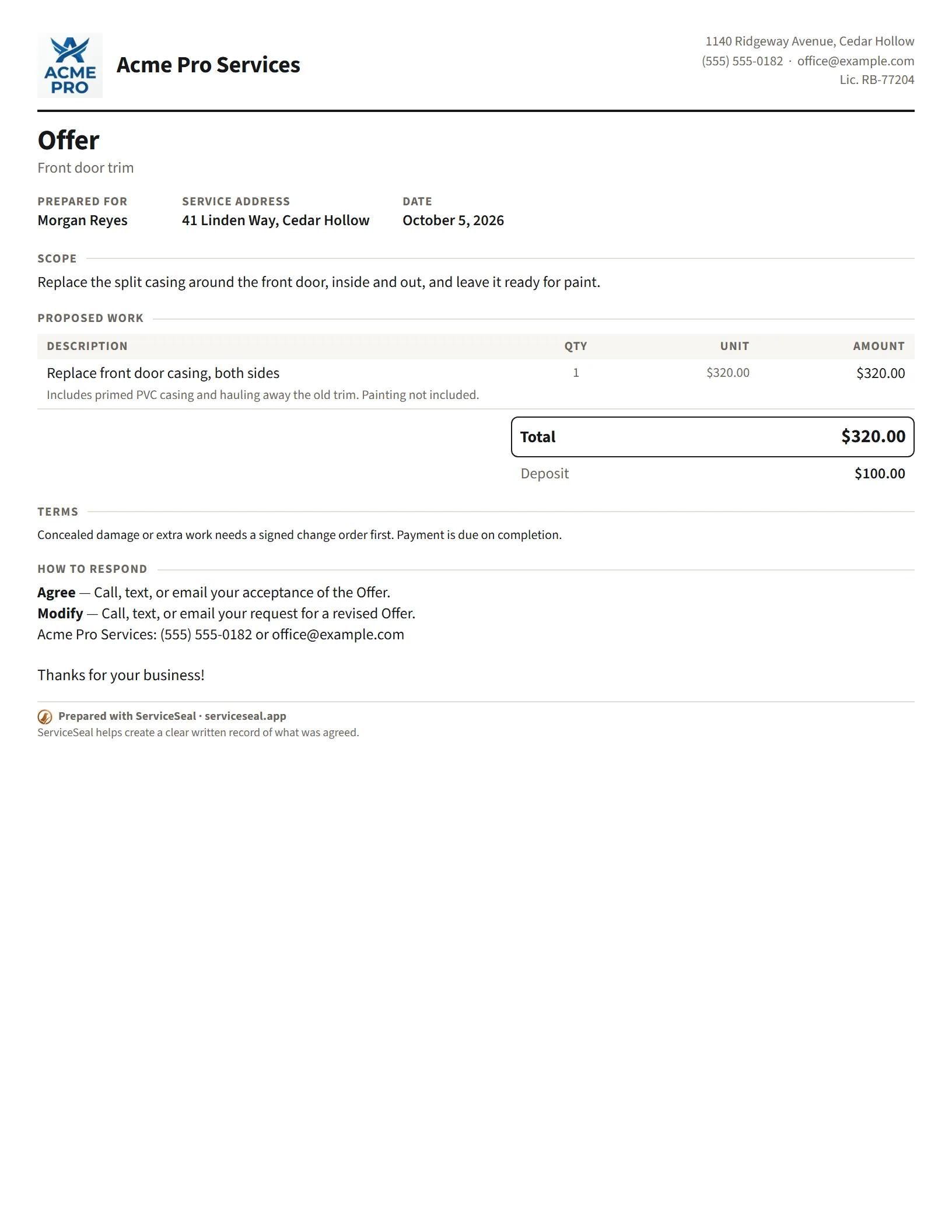
The work as line items, each with what’s included and what’s not, your price, your terms, your name on it. The customer signs on your phone, or you record the yes they gave verbally, by text or by email.
How agreements work - 2
Approve changes
When the job changes, update the understanding before the work moves on.
Add the change on site. The customer sees the complete updated work and price, and says yes the same ways. The original stays, and each change is added to the record.
How changes work - 3
Get paid
Get paid for the whole job, including the parts that changed.
Send a payment request with codes for Venmo, Cash App and PayPal that open with the amount filled in. The money goes straight to you. Then a payment summary (receipt) closes the job.
How the payment process works
What you build with it
Do great work. Build your reputation. Earn what you’re worth.
You already know how to do the work. ServiceSeal helps the way you handle the customer look just as professional, so each job strengthens your credibility, your reputation, and your chance to win better work.
Look like the business you’ve built.
What a written agreement can win youBuilt for the phone in your hand
Simple to start. Capable when the job gets demanding.
Sign up, name your business, write your first offer.
An email and password, a six-digit code and your business name. Your logo, license number and payment apps can wait until you want them.
Works on-site, even without a signal.
Sends and backs up when the connection returns.
Run the agreement, not another office system.
Keep the system you use to run the office. Use ServiceSeal to run the agreement with the customer.
There’s no account for the customer.
They sign on your phone, or you send the offer through your own text or email and record how they agreed: verbally, by text or by email.
The latest article
How to Charge for “While You’re Here” Work Without the Awkward Moment
A customer asking for extra work is money already at the door. How to price it, get a clear yes before you start, keep their goodwill, and get paid.
Every job should do more than pay once. It should help you win the next good job.
21 days, no card needed.
Coming soon to the App Store.