
How it Works · Changes
Turn “while you’re here” into approved, priced work.
The original stays. Every change is added to the record. Handle the change now, not at the end when memories differ.
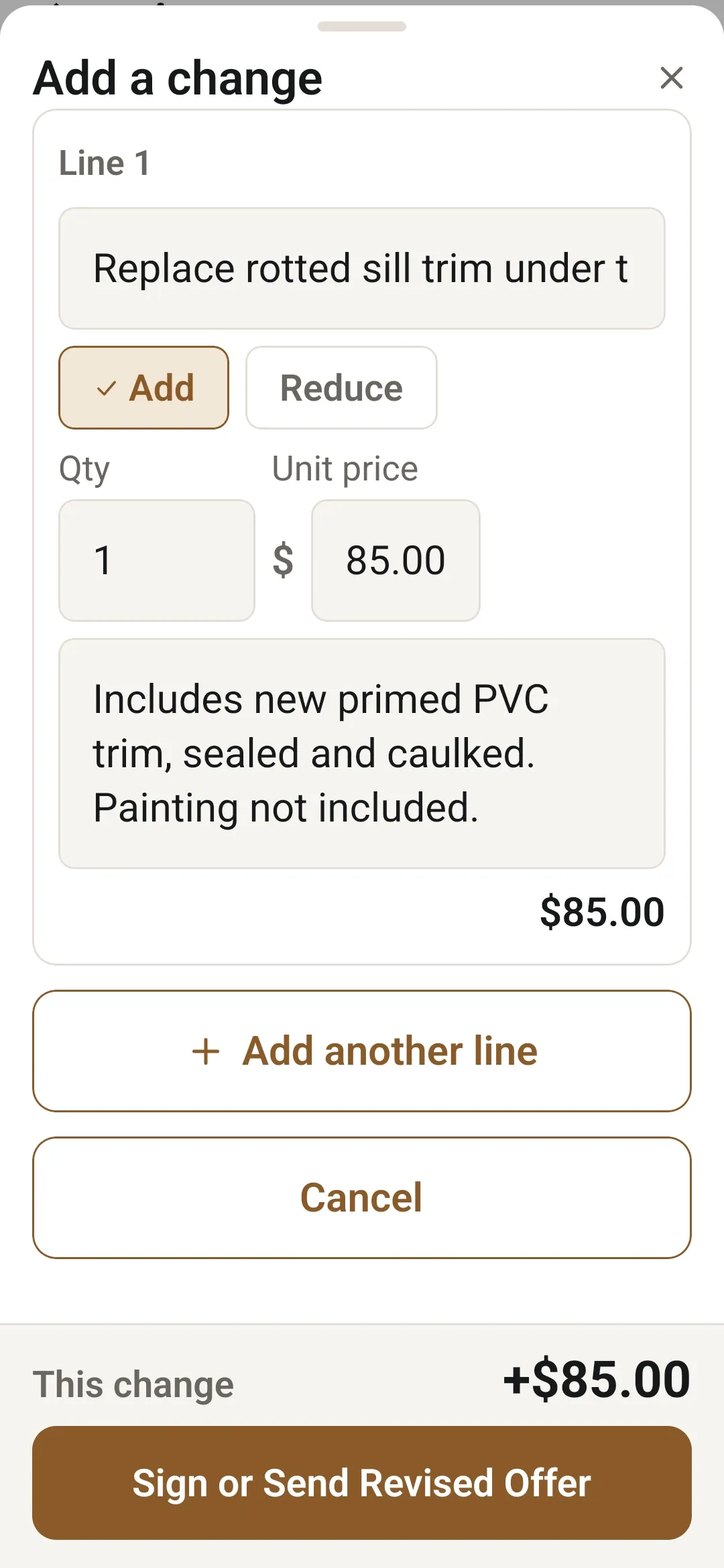
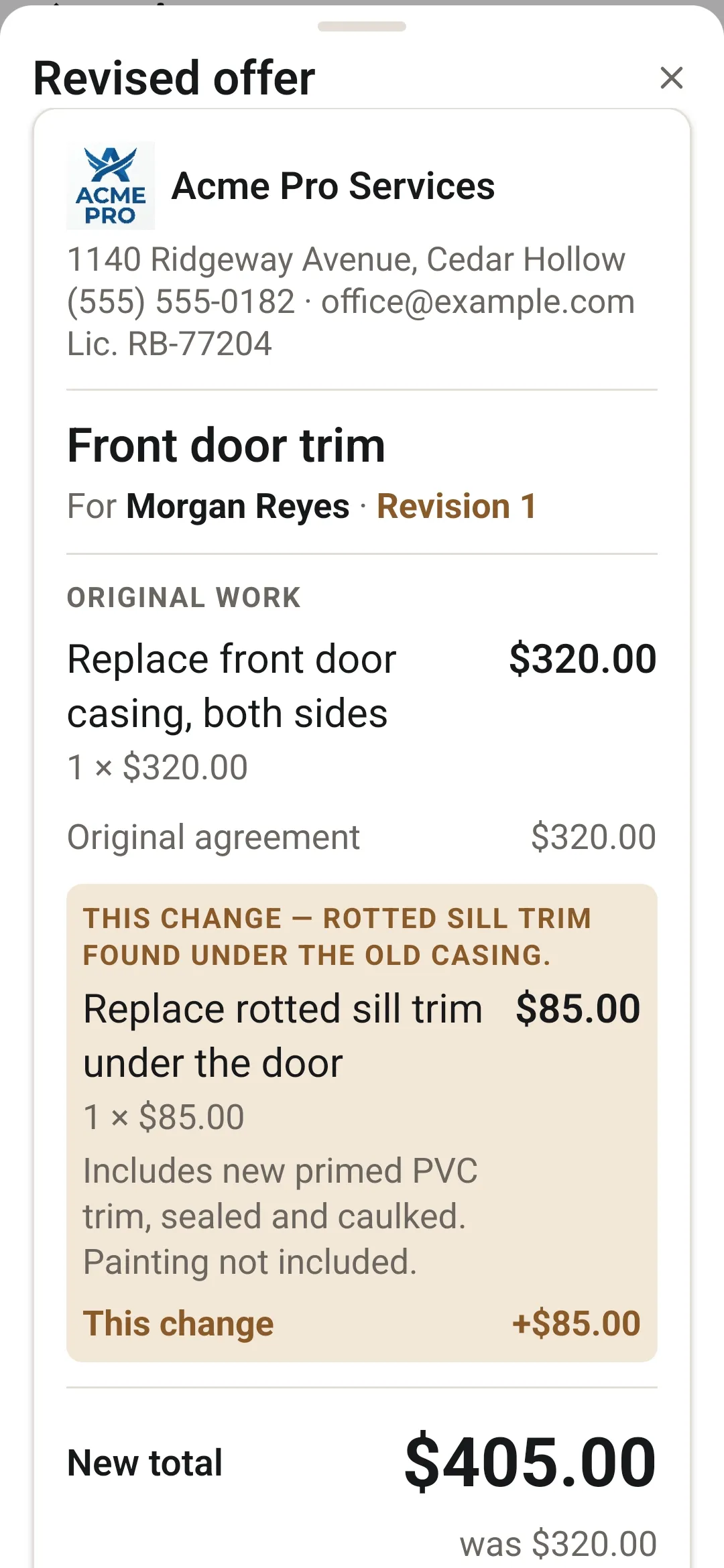
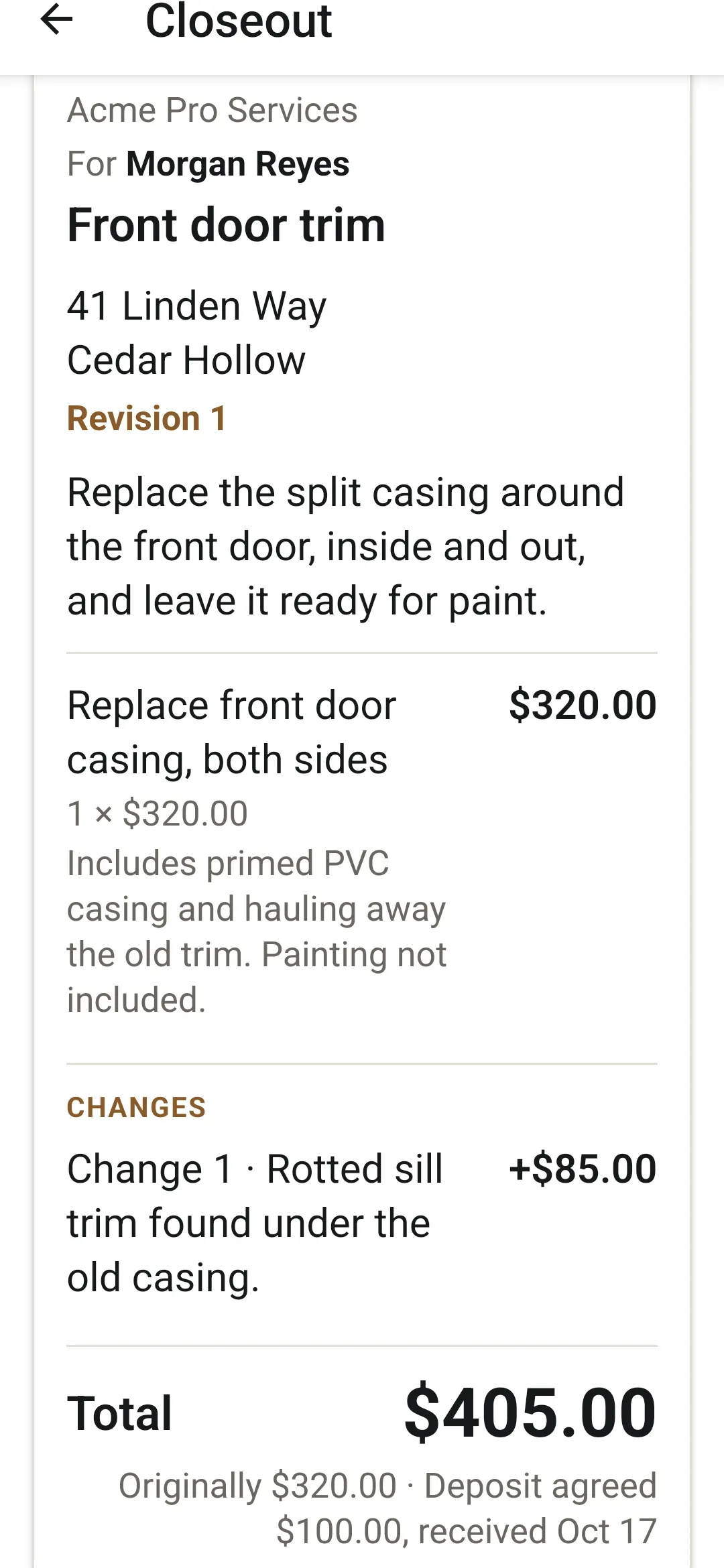
1 of 3
The moment
When the job changes, update the understanding before the work moves on.
You know when a customer says, “while you’re here, could you also…” and it turns into a favor? With ServiceSeal you put the change and the price on your phone right there. They see the whole updated job, they say yes, and it goes in the record.
How it works
Added work deserves an added agreement.
Tap Add change.
While the job is under way, describe the change and its price on the agreement itself.
The customer sees the whole job.
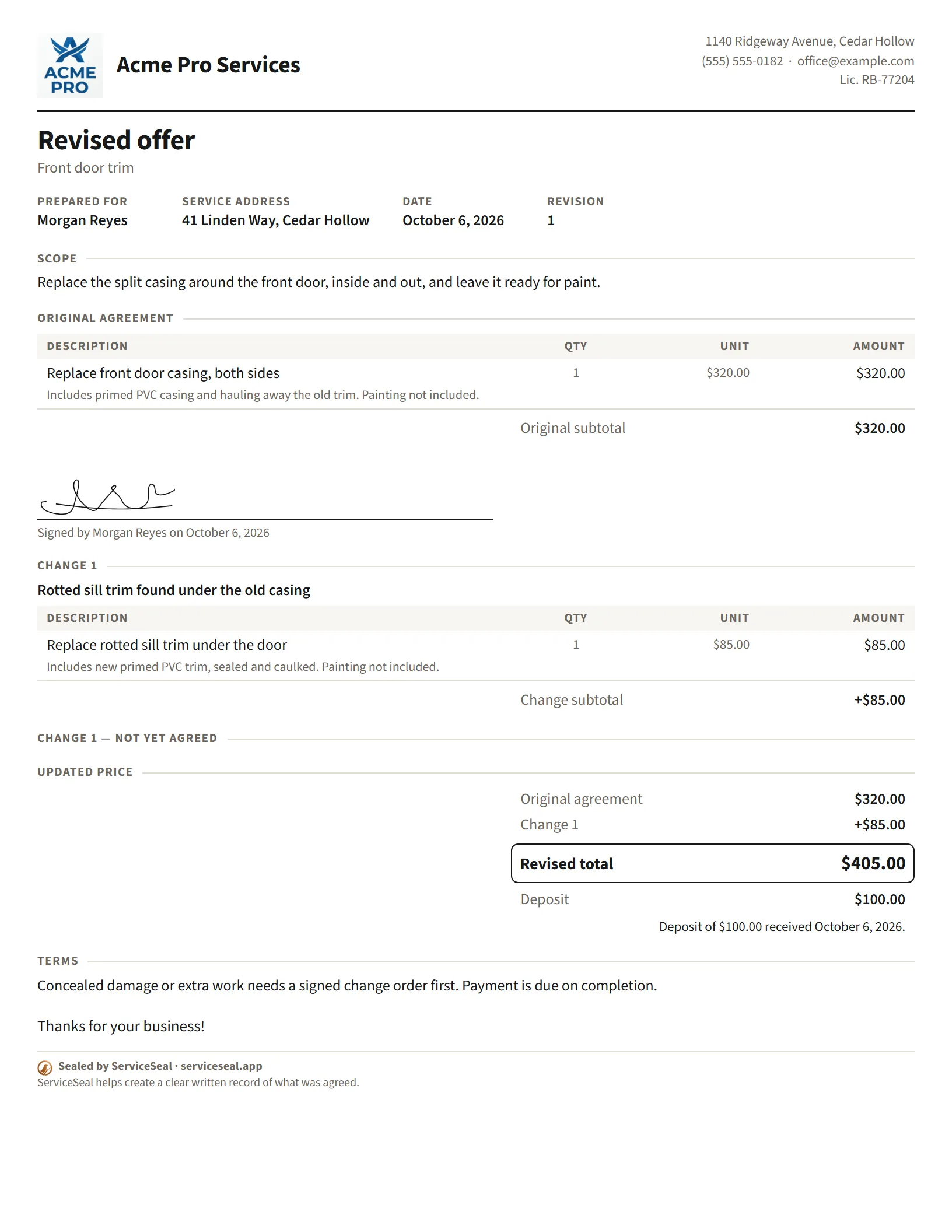
A revised offer shows the complete updated work and price, with the original scope still in the record.
They approve it the same ways.
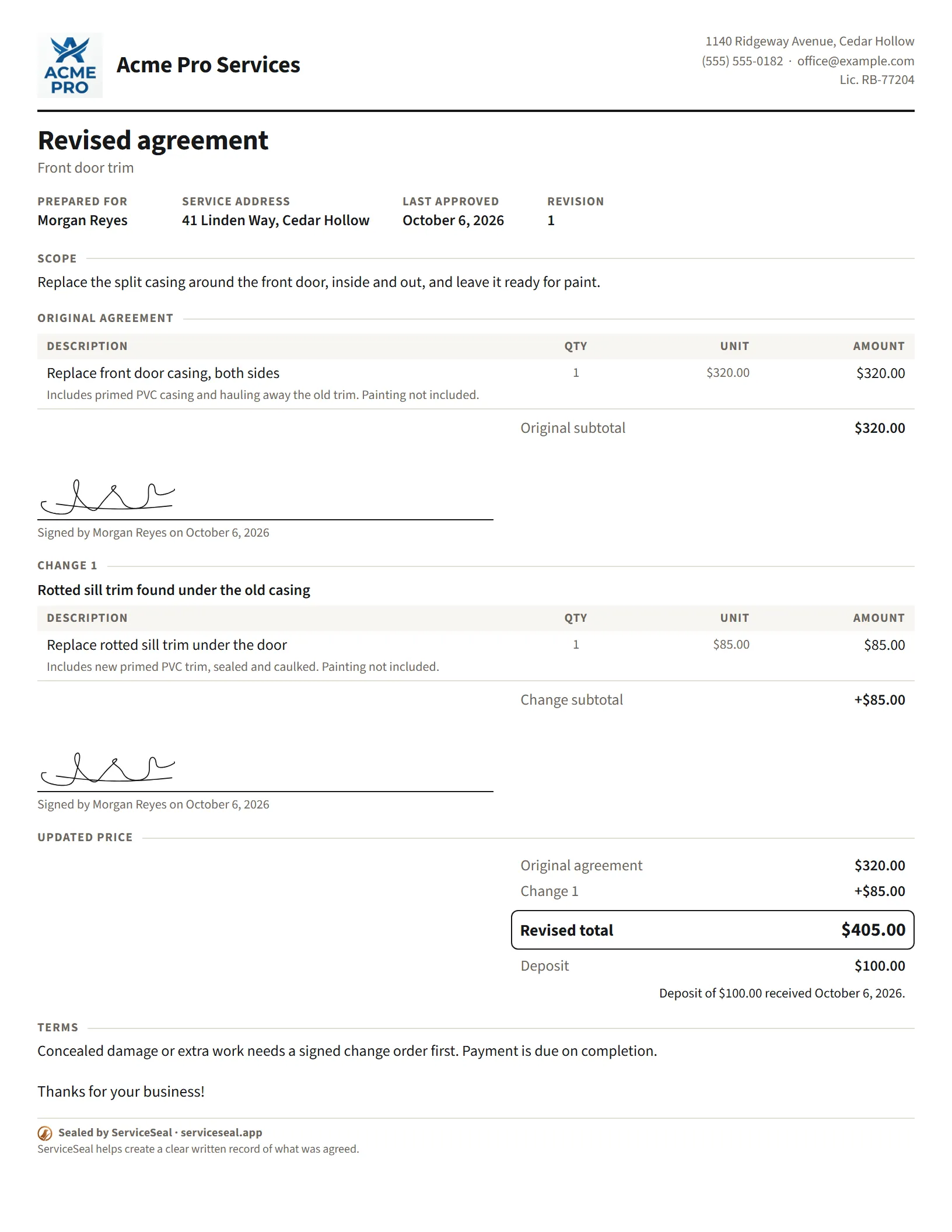
Signed on your phone, or recorded verbally, by text or by email. Once agreed, it’s the revised agreement.
Every kind of change
Every “quick one” deserves a quick price.
Add work.
The extra job, priced and approved before you do it.
Reduce it.
Take work out, and the price follows, in writing.
Doing it as a favor? Write that down too.
A change can carry no charge, so the customer still sees what they got.
What the customer sees
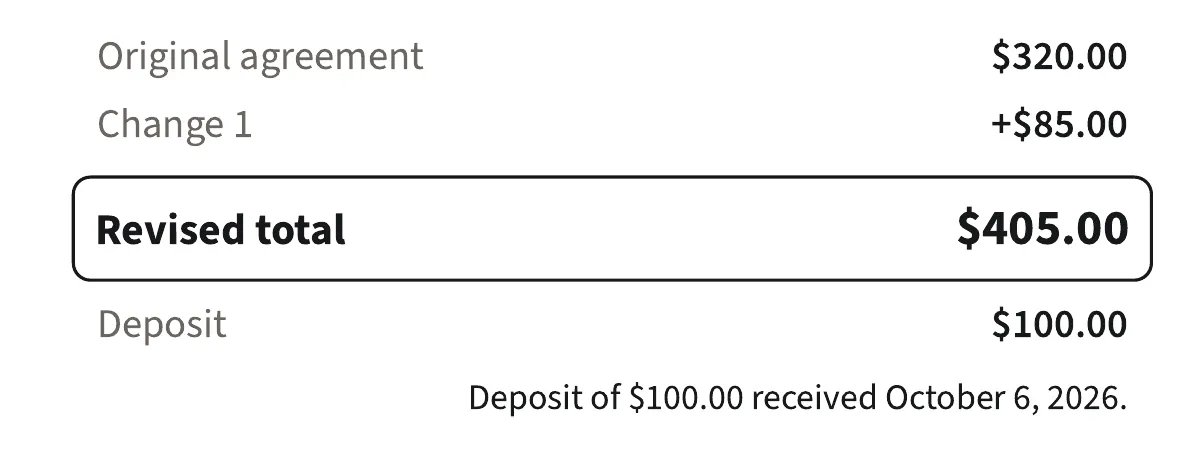
The original price, every change, the new total. One page.
Say yes to the extra work. Then put it in writing.
21 days, no card needed.

Coming soon to the App Store.