
How it Works
Simple to start. Capable when the job gets demanding.
ServiceSeal helps independent service pros agree on the work, approve changes on-site, and keep a clear record from the first offer to the final payment.
1 of 4
The job, start to finish
Start with one offer. The rest is there when the job needs it.
Write the offer
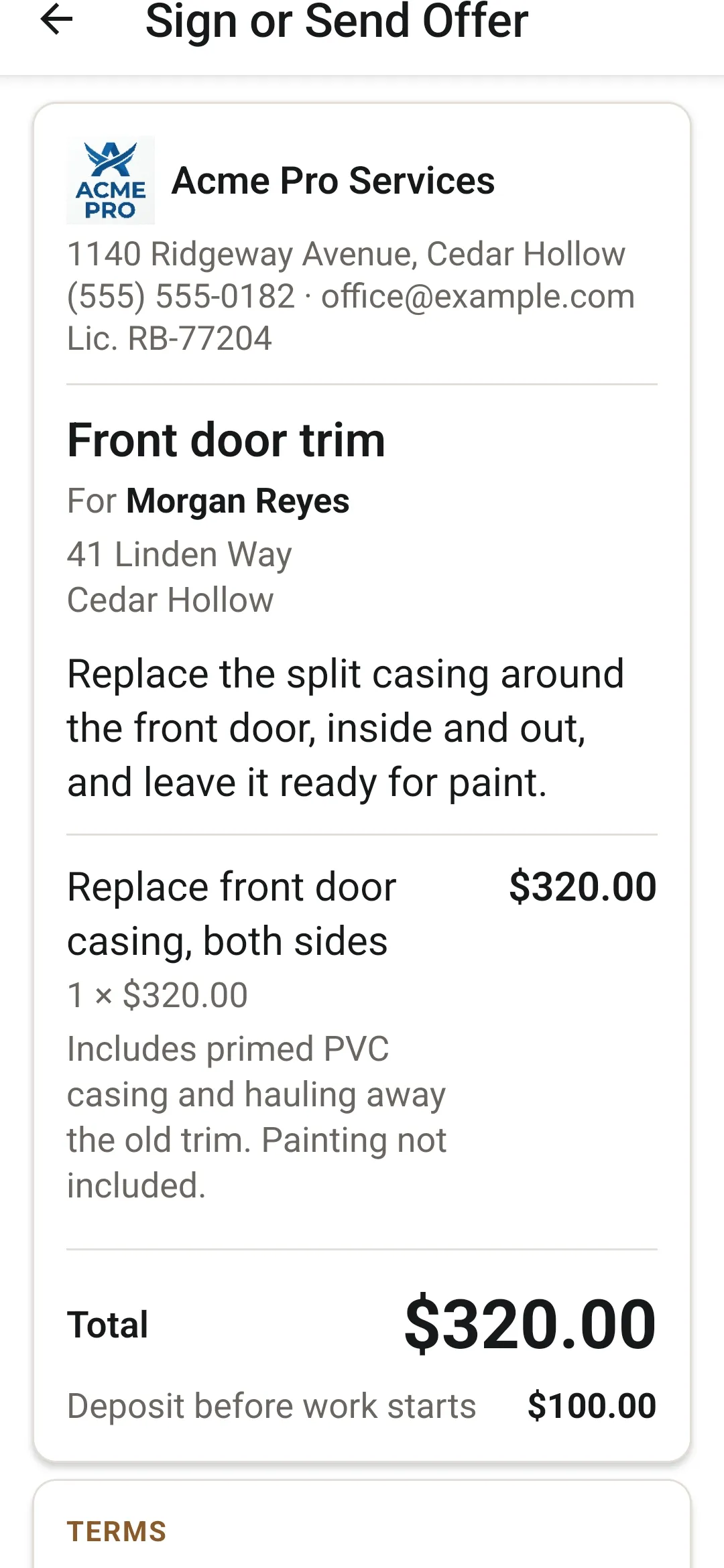
The work as line items, each with its own inclusions and exclusions. Add sales tax, a deposit and your own terms if you want them. Your logo, business name, phone and license number go on every document.
More on AgreementsGet the yes
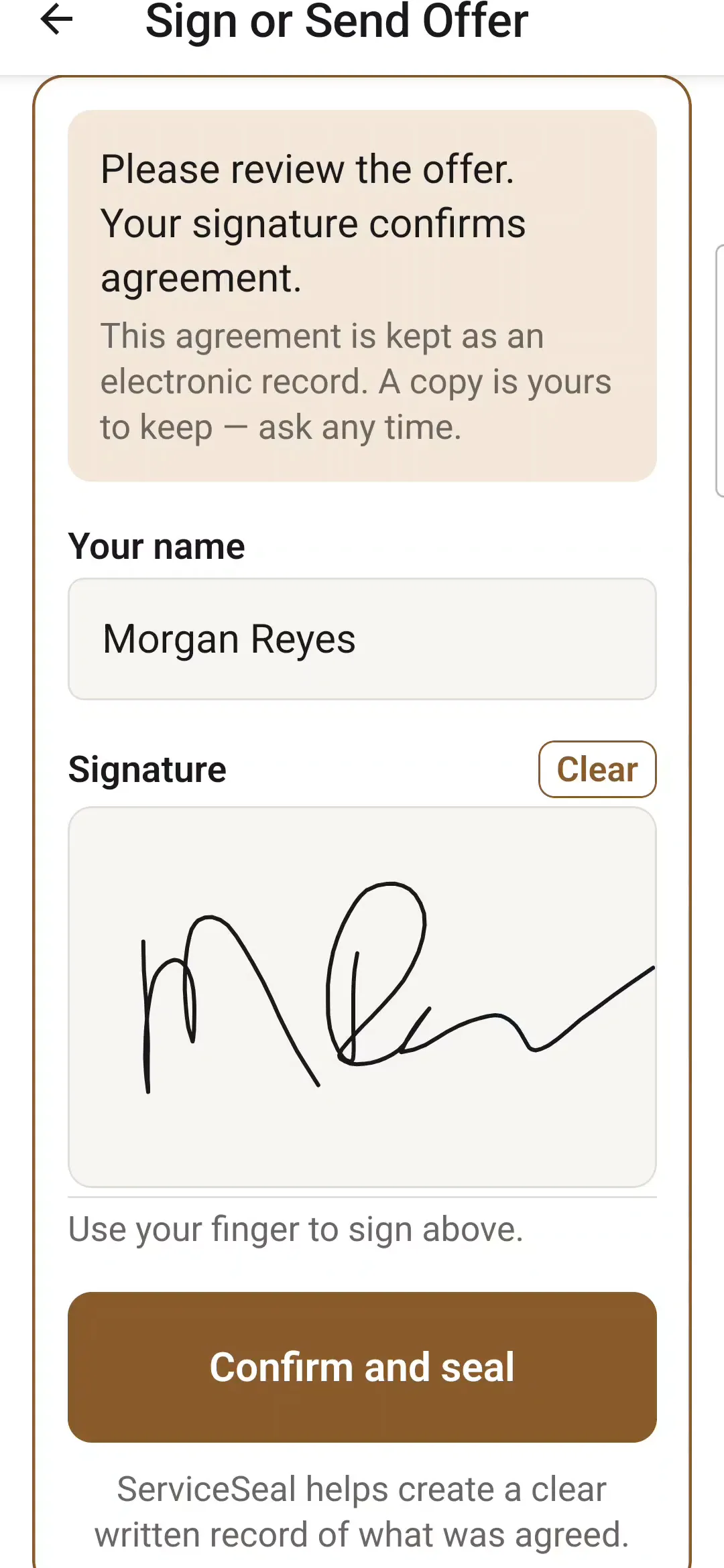
The customer signs on your phone, and the agreement is sealed. Or send the offer as a PDF through your own text or email, and record how they agreed: verbally, by text or by email.
More on AgreementsAdd the change
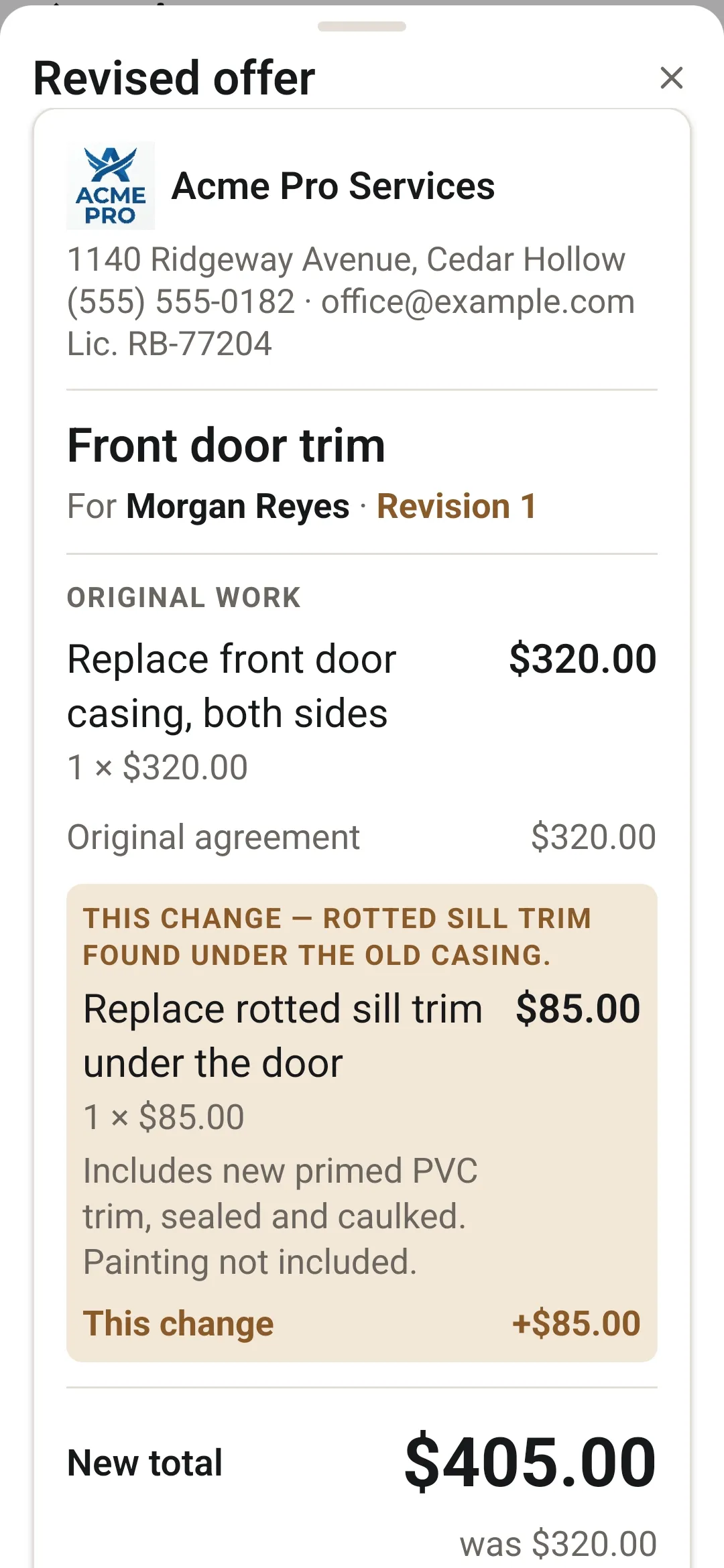
Tap Add change while the job is under way. The customer sees a revised offer, the complete updated work and price, and approves it the same ways.
More on ChangesGet paid and close it out
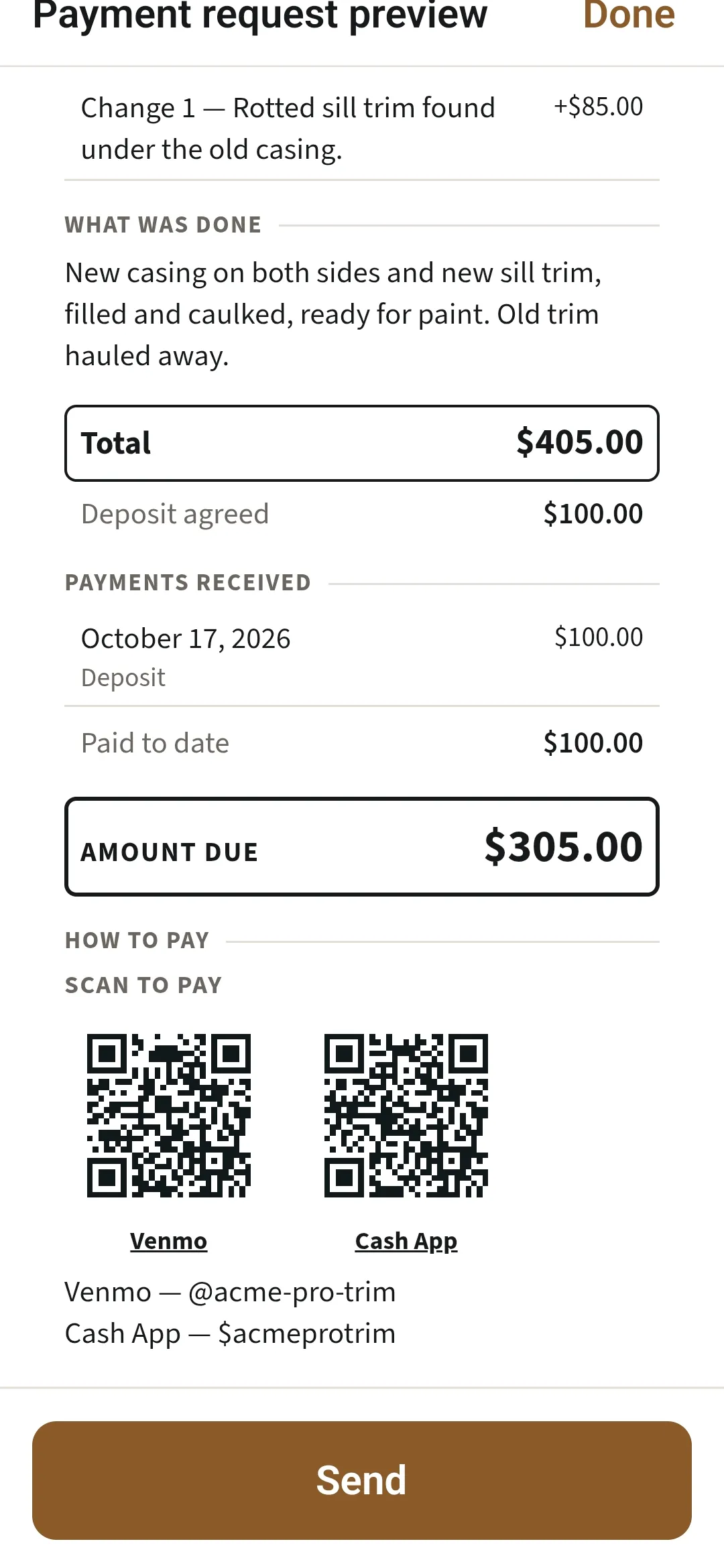
Record the deposit and any partial payment. Send a payment request while money is owed, then a payment summary (receipt) once it’s paid. The money goes straight to you.
More on Payment Process
Around the job
Built for the phone in your hand and the way the job actually goes.
Works on-site, even without a signal.
Offers, signatures and documents work offline. ServiceSeal sends and backs up when the connection returns, and signing in on a new phone brings everything back.
The Dashboard and reports.
Work Agreed, Awaiting Payment and Approved Changes at a glance, with an Annual Summary and Payment Aging as PDFs.
Your records, your call.
Export my data saves everything in one zip with spreadsheets. Remove a customer’s personal details while the work, dates and prices stay. Hold records for a dispute.
Documents in your name.
Offer, agreement, revised offer, revised agreement, payment request and payment summary, as PDFs your customer keeps.
Keep the tools you use.
Add the part they don’t do. ServiceSeal runs the agreement with the customer, beside whatever runs the office.
Help when you need it.
Answers on the help site, and a person at support@serviceseal.app.
My customer isn't with me. How do they agree to an offer?
On the signing screen, tap Send this offer as PDF, then mark it as sent. When they say yes verbally, by text or by email, tap Mark as Customer Agreed. You can get their signature later with Get it signed.
Can I check a document before it goes to my customer?
Yes. Every Send button opens the document full screen first. Read it through, then tap Send at the bottom to choose email, text or another app.
Which payment apps can I put on a payment request?
Venmo, Cash App and PayPal get a QR code that opens with the amount owed filled in. Other payment links get a code too. Zelle, cash and check appear as written instructions. Add your links in Business profile.
Can I use ServiceSeal without a signal?
Yes, once you've signed in. Offers, signatures and documents work without a signal, and ServiceSeal sends and backs up when the connection returns.
Can I talk instead of typing?
Yes. Tap where you would type, tap the microphone on your keyboard, and say the job the way you'd tell the customer. Your phone does the typing, so read it over and type the prices yourself.
What if I lose my phone?
Sign in on your new phone. Your agreements, signatures, payments and business profile come back from your last backup. ServiceSeal backs up whenever you have a signal.
Agree the work. Approve changes. Get paid.
21 days, no card needed.

Coming soon to the App Store.